FILEVK‑1944/OKW

VIBEKOMMANDANT

Strategie und Stimmung seit 2025

A real-time strategy game you play with your voice. You command generals, not units. Every order comes back over the radio — with an opinion.

Platform
Browser — no install
Input
Voice, text, mouse & keyboard
Price
Free
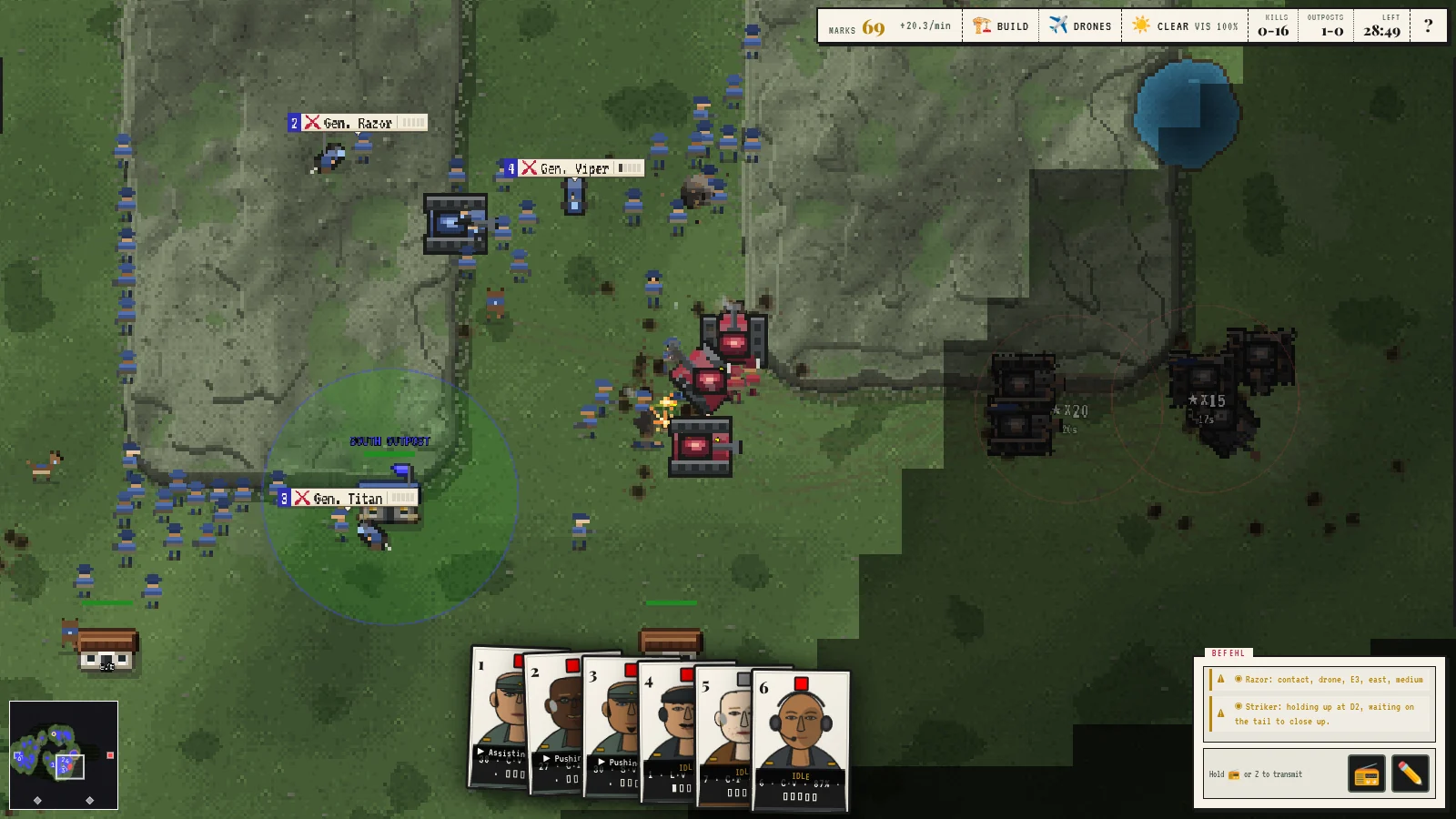
A battle in progress: blue infantry and tanks engage red armour across a grass map, with the six general cards and the radio feed at the bottom of the screen.
Fig. 1 Six generals, one radio, and a front line that talks back.
GENEHMIGT
FUNKVERKEHR
  • Thunder: Wilco, pushing east, weapons free
  • Krause: Roger, moving to D4, weapons hold — going in quiet
  • Weber: Say again your last?
  • Signals: Unable — Hunter is down, nobody on that set. Form 9 unsigned.
  • Diesel: holding up at A3, waiting on the tail to close up.
  • Viper: we’re pinned down at E4 — heads down, can’t move.
  • Ghost: Unable — jammer is live. Kill the jam or send wired. Form 31 unsigned.
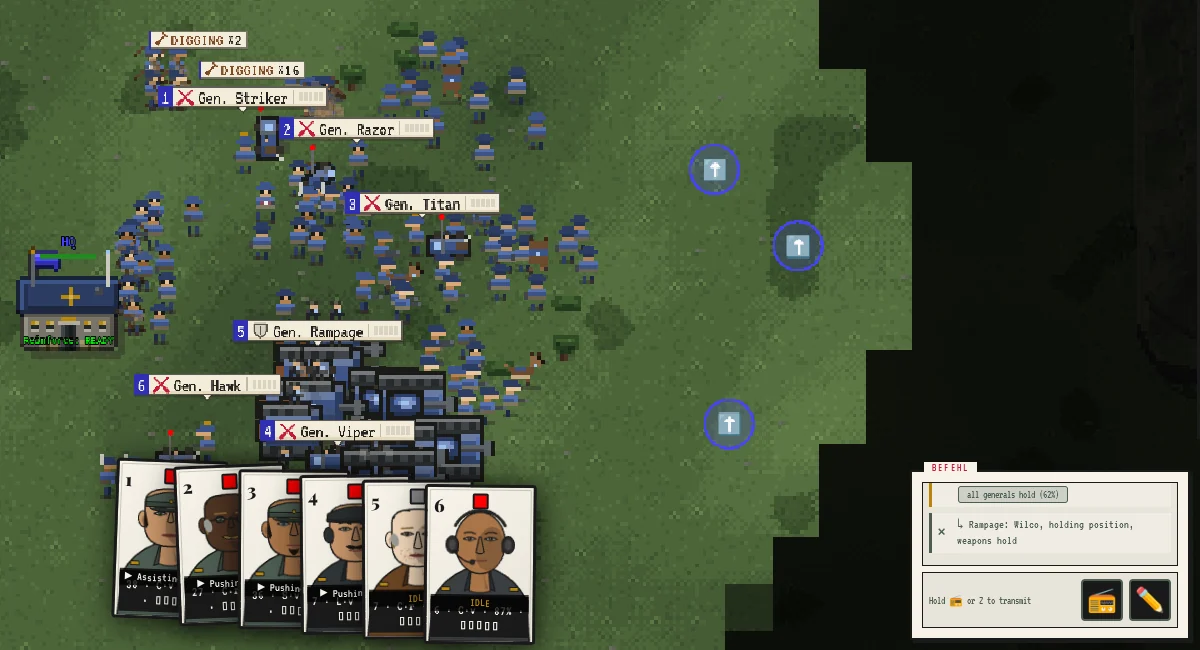
  • Razor: Wilco, holding position, digging in

§ I

The Signal Path

Der Befehlsweg

You never click a rifleman. You speak to a general, the order runs down the chain one relay at a time, and an officer with a temperament of his own answers on the radio. He never swaps your order for another — if he will do it differently, he says so.

  1. You

    Kommandant

    “Rampage, push east.”

  2. General

    Rampage

    Veteran · Aggressive

    Splits the order across his officers.

  3. Officer

    Thunder

    Regular · Steady

    Comp. 72
    Stress 18
  4. Squad

    3rd Infantry

    Twelve men, dug in at C4.

WILCO

Thunder: Wilco, pushing east, weapons free

Will comply. The order runs exactly as given.

§ II

Features

Eigenschaften

Speak, and Be Answered

Hold the radio key and talk: “Viper, move to D4, then dig in.” Speech recognition runs in your browser — your voice never leaves it. Your officers answer in their own voices over a crackling net; those replies are synthesised on our server. Prefer to type? The command box takes the same sentences.

Command Commanders

Six generals, each with one to three officers over infantry, tanks, artillery or drone teams. Name a general, a grid square (A1–H6), a landmark (“the north outpost”) or a compass point, and chain legs with “then”.

People, Not Pieces

Green or veteran, cautious or aggressive, calm or rattled. A cautious officer walks into a known contact with weapons held; a green one under fire asks you to say again. Lose a general and his command buckles until someone is promoted.

Zoom Out to the Staff Map

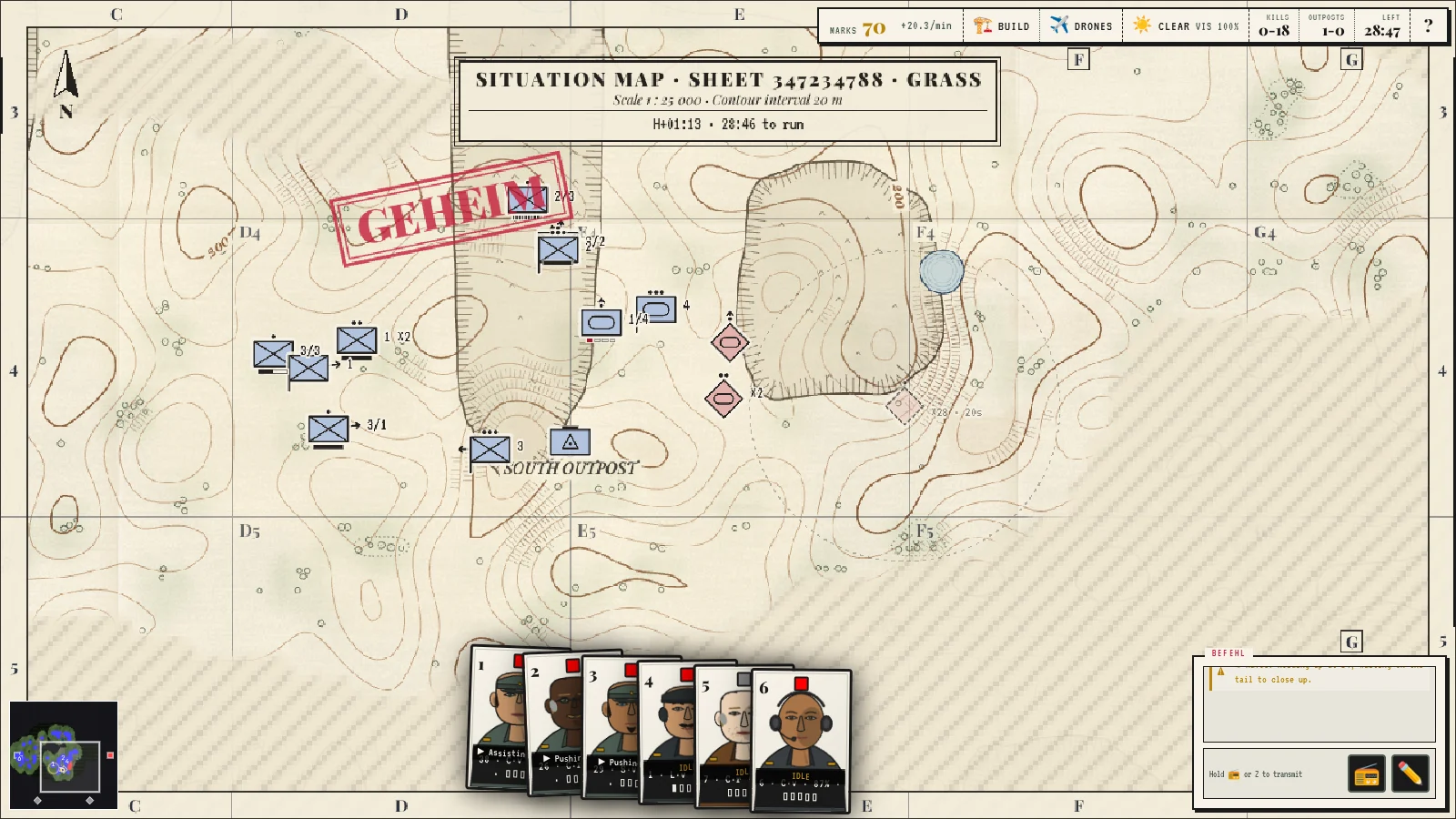
Pull the camera back and the battlefield turns into a paper situation map: unit symbols, contour lines, order arrows in ink — drawn only from what your side has actually seen.

Night, Weather, Dirt

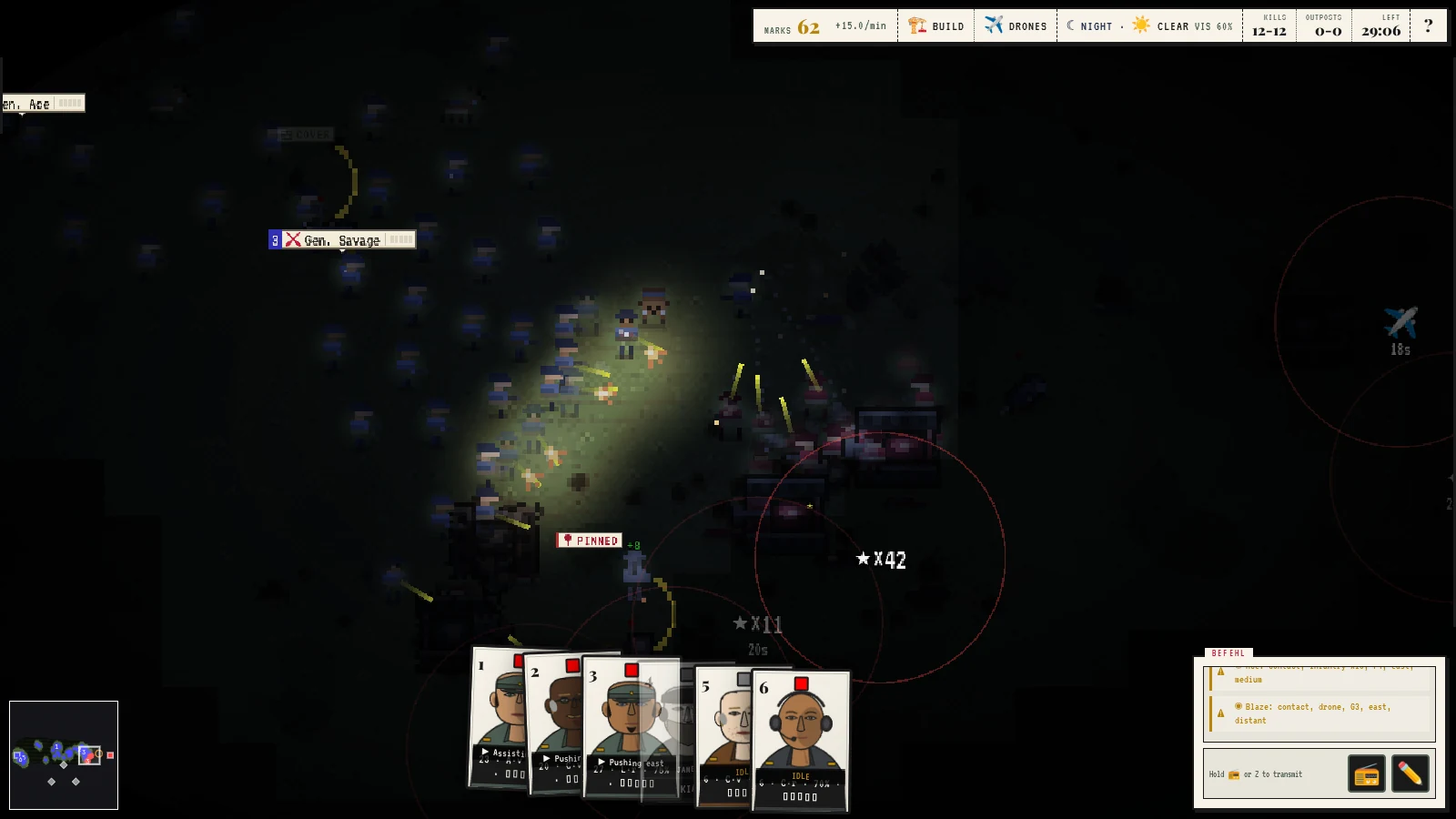
Fronts of fog, rain and storm roll through; night falls and the map goes dark. Idle squads dig foxholes that grow into trench lines — and a squad that lights a fire at night gives itself away.

The Cost of It

Wounded men crawl for cover and medics go to them. Broken squads surrender and are marched off. Tank crews bail out of burning hulls. Drones, jammers and wire-guided birds fly over all of it.
§ III

Order of Battle

Spielarten

Single player

Skirmish

One map, two headquarters, a computer commander that scouts, builds and counter-attacks. Start here.

Start a skirmish

Two players

1v1 Online

Create a room, send the code, fight a human. Each side commands its own faction in real time.

Play online

Bring your agent

Against Claude & Friends

Any MCP-capable agent joins a live match by room code and commands the opposing faction through the same chain of command you use — you even see its reasoning.

How to connect

§ IV

Bring Your Own Commander

Fremde Feldherren

Claude — or any agent that speaks MCP — can take a faction in a live match. It reads real battlefield briefs, issues real orders, and its reasoning streams into your HUD as an intercepted comms feed.

  1. 1 Create a room

    Play → Multiplayer → AI Opponent. The lobby prints a room code and the exact command below.

  2. 2 Connect the agent

    Run this wherever your agent lives (Claude Code, Claude Desktop, anything MCP):

    npx @vibekommandant/mcp --server=wss://api.vibekommandant.com --room=YOUR-CODE --faction=enemy
  3. 3 Fight

    Start the match. The battle runs in your browser — keep the tab focused. Prefer to watch? The AI Battle Arena pits two agents against each other, and Spectate lets anyone watch a match by room code.

    Full setup guide, agent-vs-agent rooms and troubleshooting: the field manual.

§ V

Photographic Evidence

Bildschirmfotos

The staff map: the battlefield redrawn as a paper situation map with contour lines, NATO-style unit symbols, the south outpost and a red GEHEIM stamp.
Fig. 2 Zoom out and the war becomes paperwork: the staff map, drawn only from what your side has seen.
Squads digging in beside the HQ under DIGGING chips, while the radio feed reads: Rampage: Wilco, holding position, weapons hold.
Fig. 3 ‘Wilco, holding position.’ Twenty seconds later, sixteen men are digging.
A night battle in darkness: blue riflemen lit by muzzle flashes and tracer fire, a PINNED marker, and red rings around remembered enemy contacts.
Fig. 4 Night falls on schedule. The enemy is wherever the muzzle flashes are.
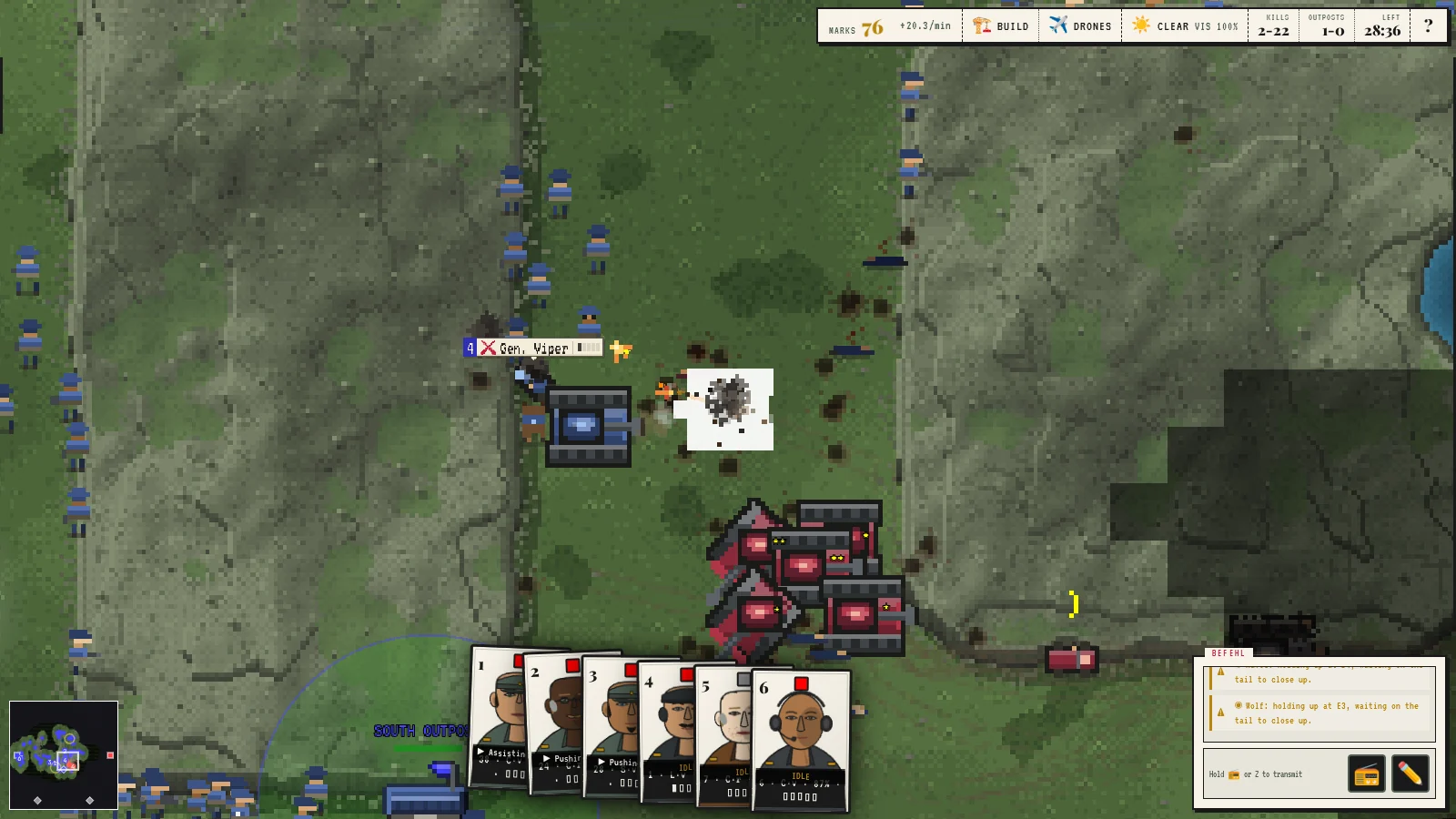
Red armour pushes into blue infantry on open ground; a shell burst and scattered craters mark the fight.
Fig. 5 Their armour came anyway. The craters stay where the shells landed.

§ VI

Feldpost

Rückmeldung

Bug reports, feature ideas, or general correspondence — the field post office is open.

Feldpost: military field mail service.